.png?width=300&height=76&name=Logo_Chromatic(Formerly%20Quil%20LG).png)
How it works
After connecting CallMantra with your CoRecruit account, any calls you make that are recorded will automatically be sent over to CoRecruit for processing. CoRecruit will produce notes and follow-up material, as well as update your ATS.
How to Setup
Setting up the integration is a user-level process that requires a unique GUID provided by CallMantra. Any CoRecruit user can connect their own integration.
1. Obtain your GUID and Enable Webhooks
You must contact CallMantra Support to receive your unique GUID and to have webhooks enabled for your account.
-
Support Email: customercare@coanetwork.com
-
Request: Ask the Call Mantra support team to provide your unique GUID and to enable webhooks on your account so CoRecruit can receive your call recordings.
Note: CallMantra must enable the integration on their end first. If you attempt to connect in CoRecruit before this is done, the system will throw an error and the integration will not connect.
2. Connect to CoRecruit
-
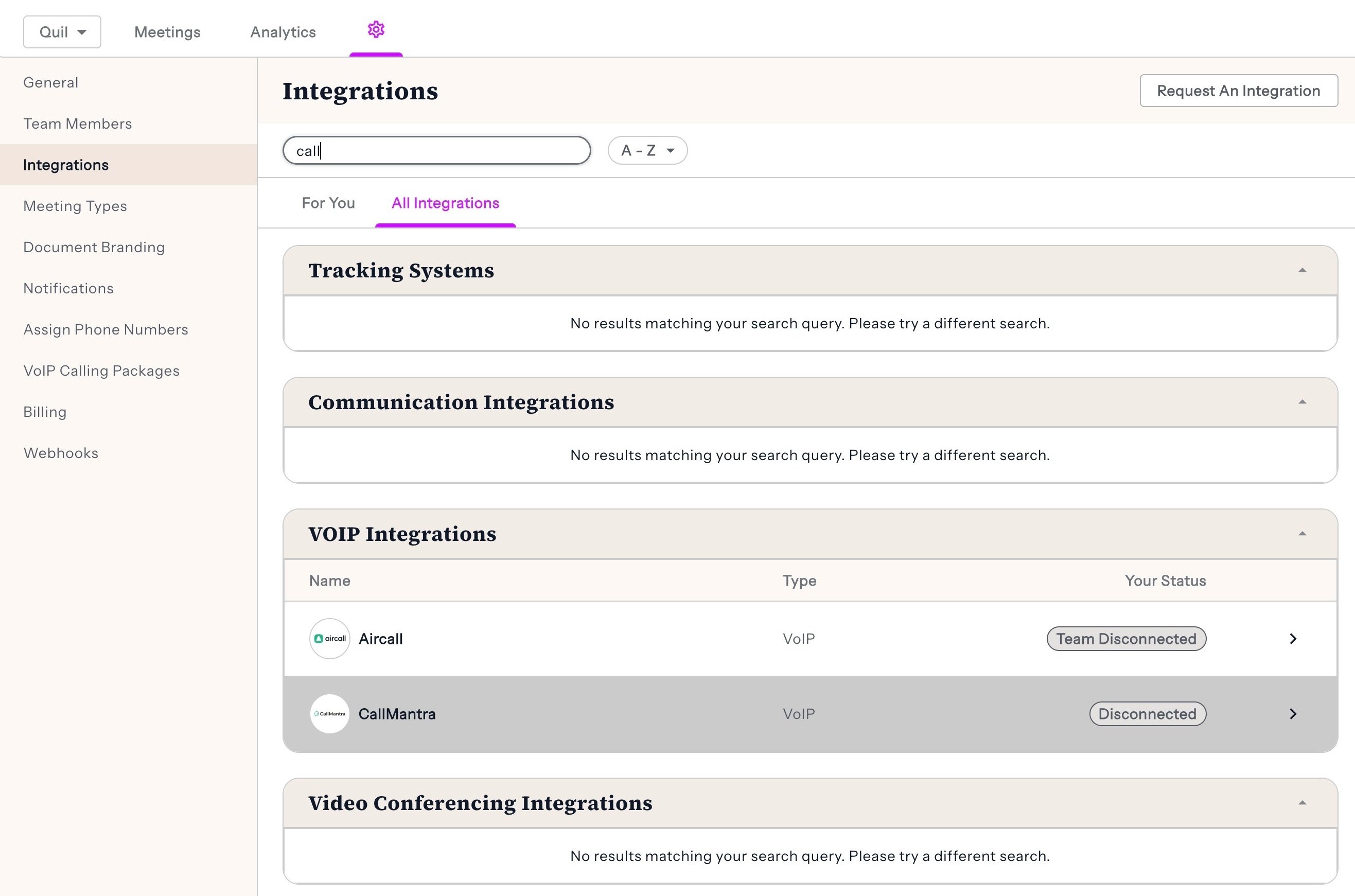
Click on the Settings gear icon in the top navigation bar.
-
Navigate to the Integrations tab in the left-hand menu.
-
Scroll down to the VOIP Integrations section and find CallMantra.
-
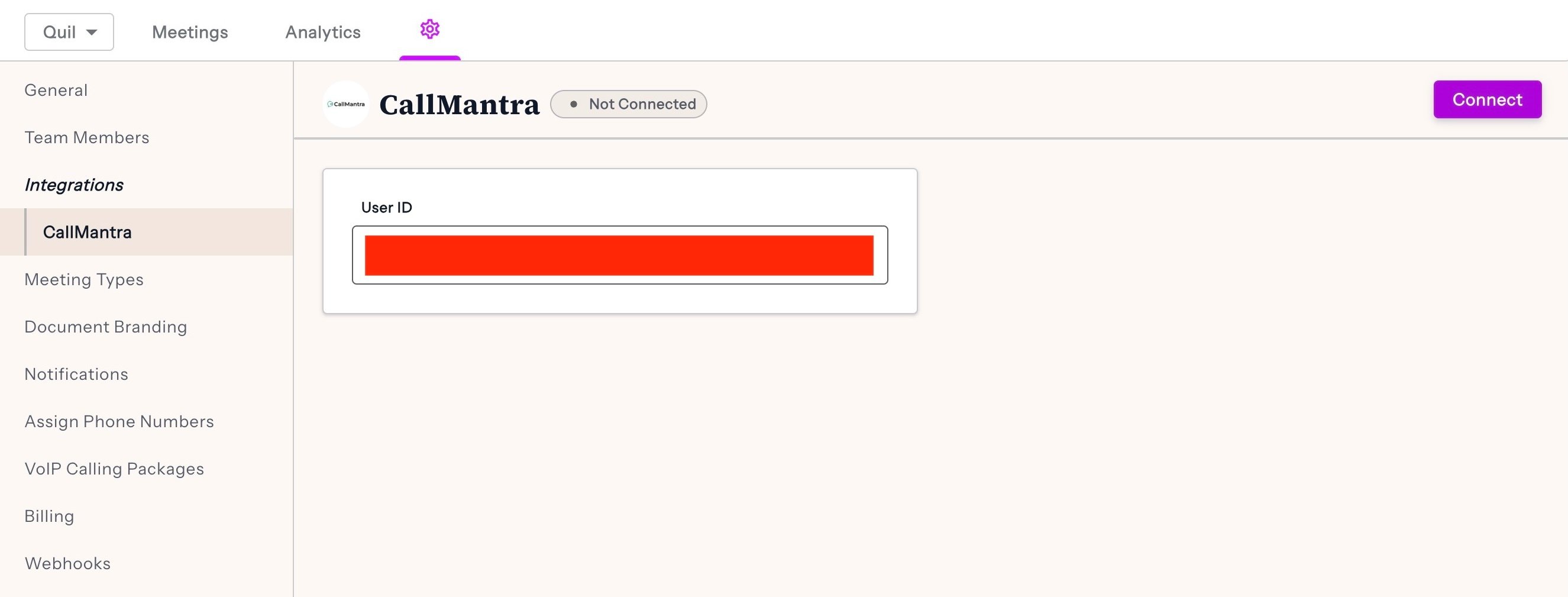
Click on the CallMantra row to open the connection page.
-
In the User ID field, paste your unique GUID.
-
Click Connect.
⚠️ Privacy Warning
The GUID is unique per user; please only paste your own GUID here. Pasting another user's GUID will result in their calls being pushed to your dashboard and might result in breaches of privacy.