.png?width=300&height=76&name=Logo_Chromatic(Formerly%20Quil%20LG).png)
Where the Notes Go
Once a meeting wraps up, CoRecruit generates structured notes and pushes them into the Candidate’s record inside CATS. Recruiters don’t need to re-enter details; every conversation is already logged and easy to find.
Connecting CoRecruit to CATS
There are two ways to connect CoRecruit with your CATS account.
- CATS OAuth connection
- Connect via CATS API Key
We strongly recommend using the new CATS OAuth connection for a faster, more secure setup.
Option 1: Connect via CATS OAuth (Recommended)
- In CoRecruit, go to Integrations.
- Select CATS (OAuth).
- You’ll be redirected to a secure CATS login page — log in with your CATS credentials.
- Approve the connection when prompted.
Your CoRecruit and CATS accounts are securely linked and notes will start syncing automatically.
Option 2: Connect via CATS API Key (Legacy Method)
Note: We strongly recommend switching to CATS OAuth for improved security, stability, and future compatibility.
1. In CATS, go to Settings (gear icon, top right).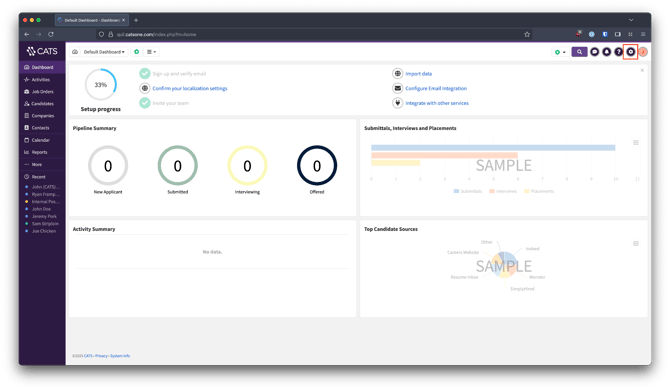
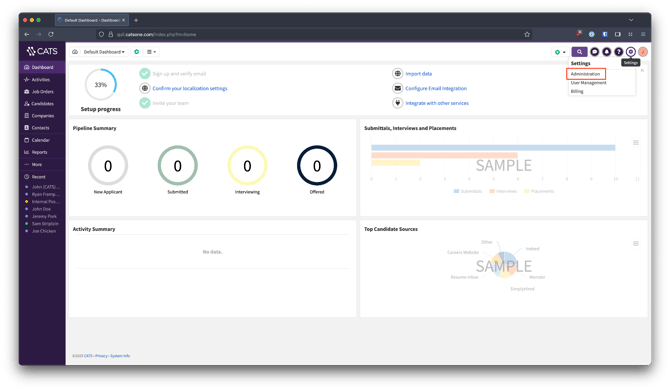
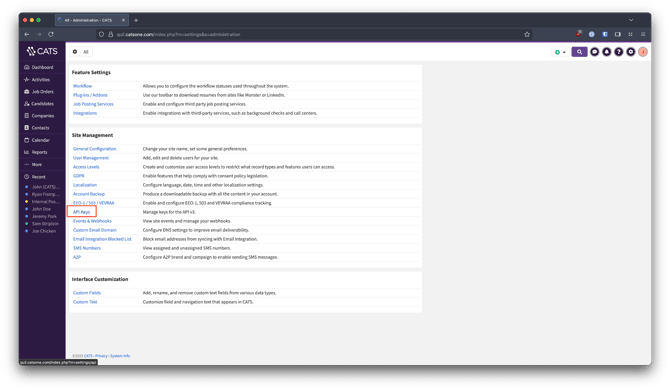
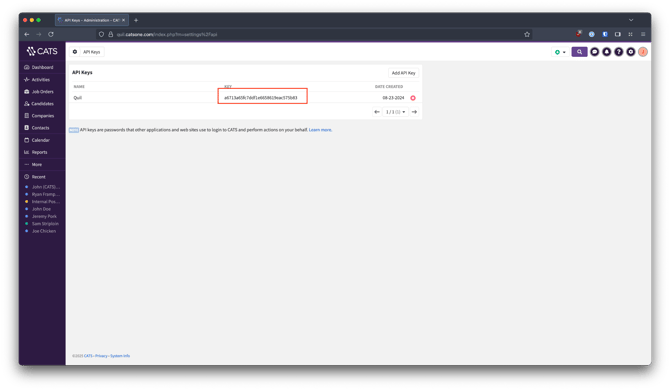
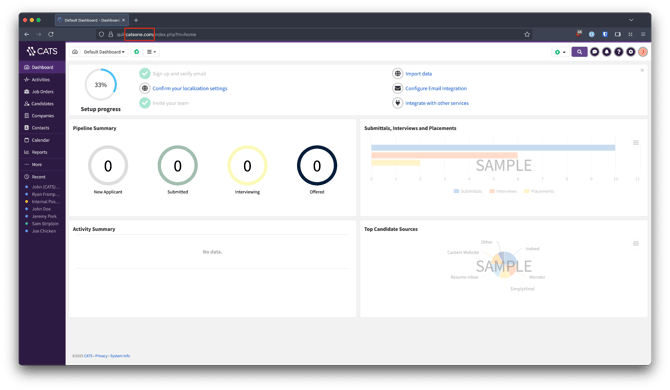
- If the URL contains catsone.com, select US.
- If the URL contains catsone.nl, select EU.
6. In CoRecruit, go to “Integrations”.
7. Select CATS and paste in your API Key.
8. Choose your Region (US or EU).
That’s it, your accounts are linked, and notes will start syncing automatically.
Database Fields
CoRecruit supports custom fields within CATS. Fields are pulled directly from your CATS instance, meaning any supported custom fields you’ve configured will automatically appear in CoRecruit for updates.
Standard fields CoRecruit can update:
Candidate: Job Title, Current Employer, Current Pay, Desired Pay, Is Willing to Relocate
Contact: Job Title
Activity types are not supported in CoRecruit's integration with CATS.
Document uploads are not supported.
Supported Features
| Feature | Supported |
|---|---|
| Create notes | ✅ Yes |
| Update notes | ✅ Yes |
| Activity types | ❌ No |
| Standard field updates | ✅ Yes |
| Custom field updates | ✅ Yes |
| Document uploads | ❌ No |
| Chrome extension | ✅ Yes |
If you require additional help, reach out to your main point of contact at CoRecruit or email support at support@CoRecruit.com.