.png?width=300&height=76&name=Logo_Chromatic(Formerly%20Quil%20LG).png)
1. Log into CoRecruit:
Start by logging into your CoRecruit account. Once logged in, you'll be directed to the meetings page.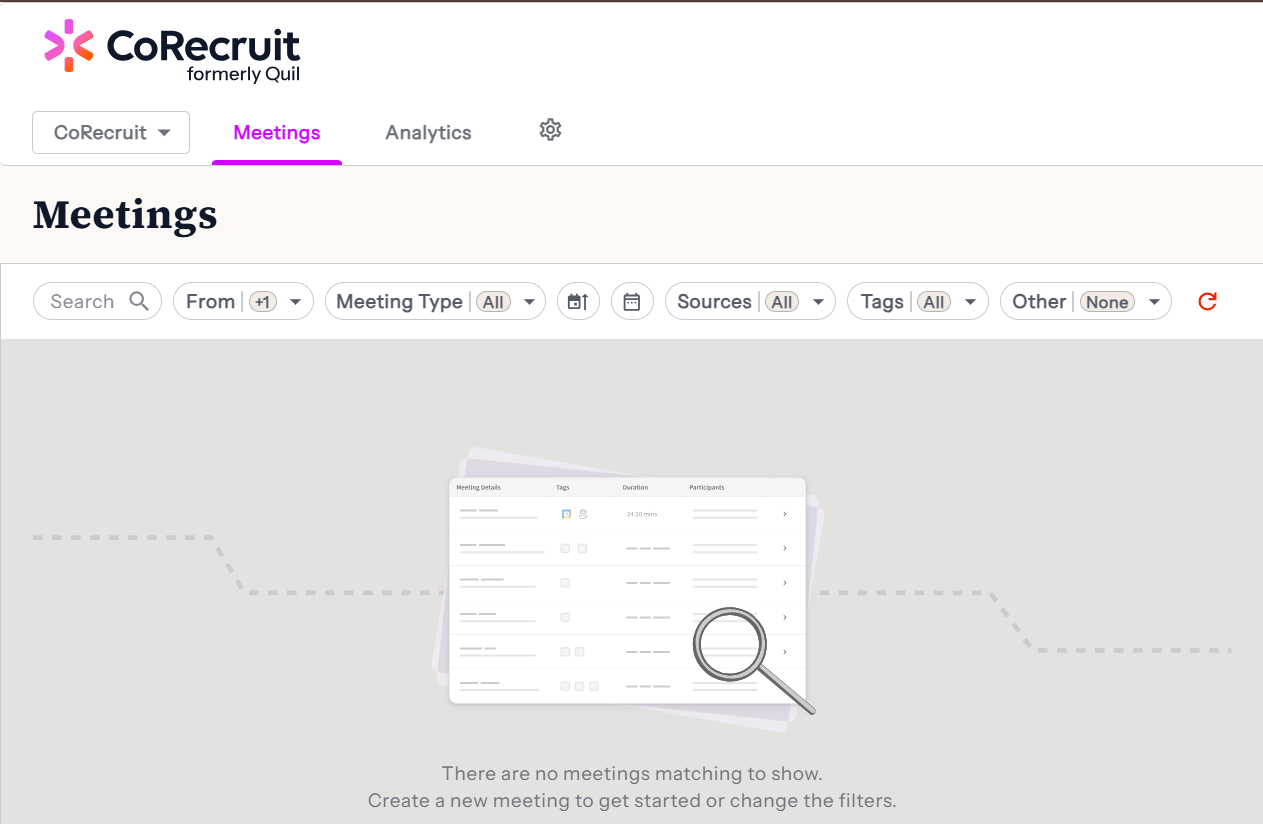
2. Access your Meeting Types
- From the meetings page, click on the gear icon.
- Click on the "Meeting type" tab.
3. Select your Default Meeting Type
In the meeting you'd like to set as default, click on the ellipsis, and select "Set as Default".
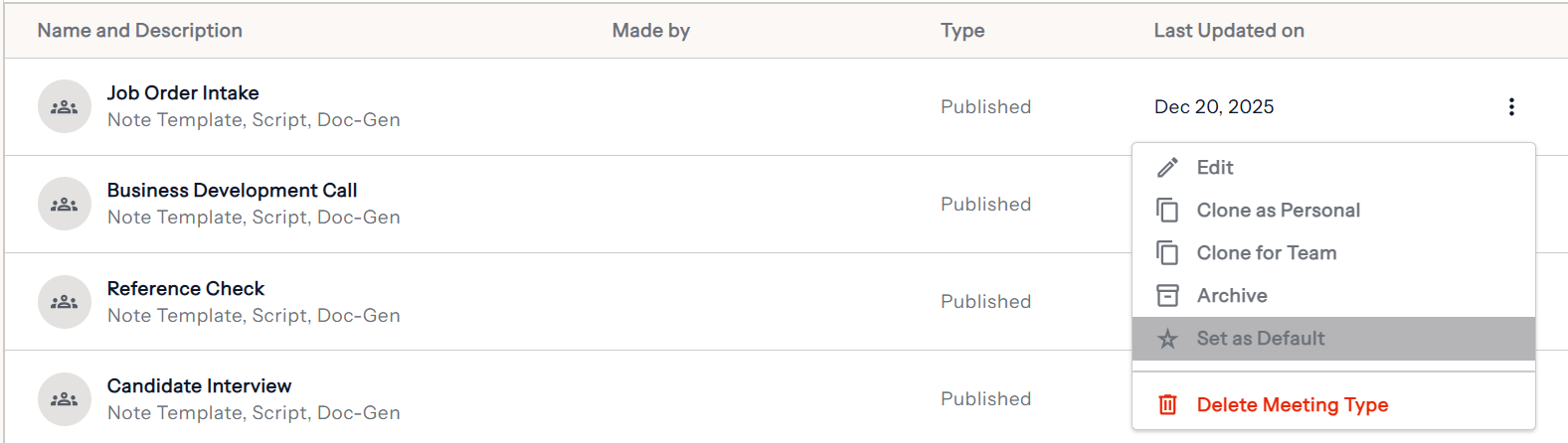
After setting the meeting as the default, you will see a red star indicating on the meeting type:
If you require additional help, reach out to your main point of contact at CoRecruit or email support at support@corecruit.com.