.png?width=300&height=76&name=Logo_Chromatic(Formerly%20Quil%20LG).png)
1. Log into CoRecruit:
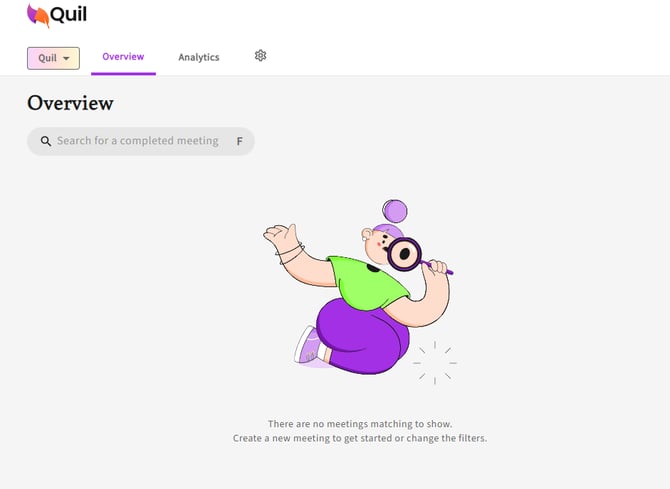
- Start by logging into your CoRecruit account. Once logged in, you'll be directed to the overview page.
2. Access Profile Settings:
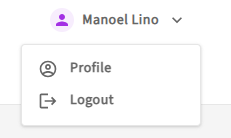
- In the top right corner of the overview page, you'll see your name. Right click it, and then select "Profile" from the dropdown menu.
3. Extension Preferences
- Scroll down until you see 'Extensions Preferences'. Here you will see two options, toggle them according to your preferences:
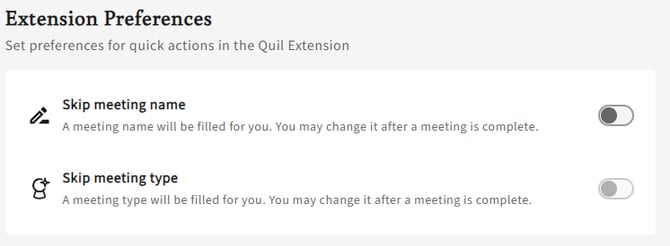
- Skip meeting name: If this option is on, you will not have the option to name the meeting when using the extension. CoRecruit automatically names the meeting based on who the call is between (e.g. John and Sarah)
- Skip meeting type: If this option is on, you will not have the option to select the meeting type when using the extension. CoRecruit automatically selects the meeting type based on the default meeting type.
If you require additional help, reach out to your main point of contact at CoRecruit or email support at support@corecruit.com