.png?width=300&height=76&name=Logo_Chromatic(Formerly%20Quil%20LG).png)
How to Access the Billing Portal
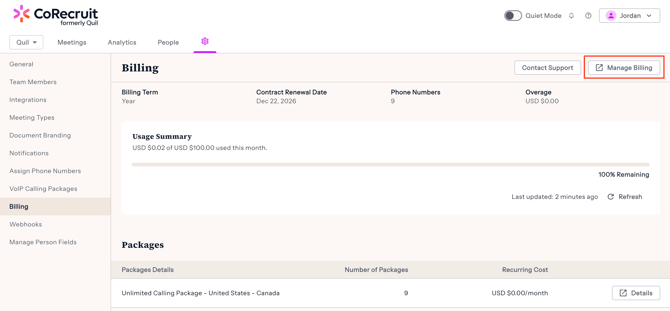
Team owners who navigate to the team setting page will see a tab called "Billing". Selecting the billing tab will show you a button that can be used to access your billing portal.
The billing portal allows you to see subscriptions, download invoices, and change payment information.
In-App Billing Portal
To view your in-app billing portal simply click on the "Manage Billing" button on the top right corner of this page.
 |
VOIP Billing Summary
For CoRecruit VOIP customers, you will also see a summary of your current balance, usage and purchased packages.
CoRecruit users who are not using the new VOIP system will not see the summary section, but can still navigate to the billing portal via the "Manage Billing" button.