.png?width=300&height=76&name=Logo_Chromatic(Formerly%20Quil%20LG).png)
How It Works
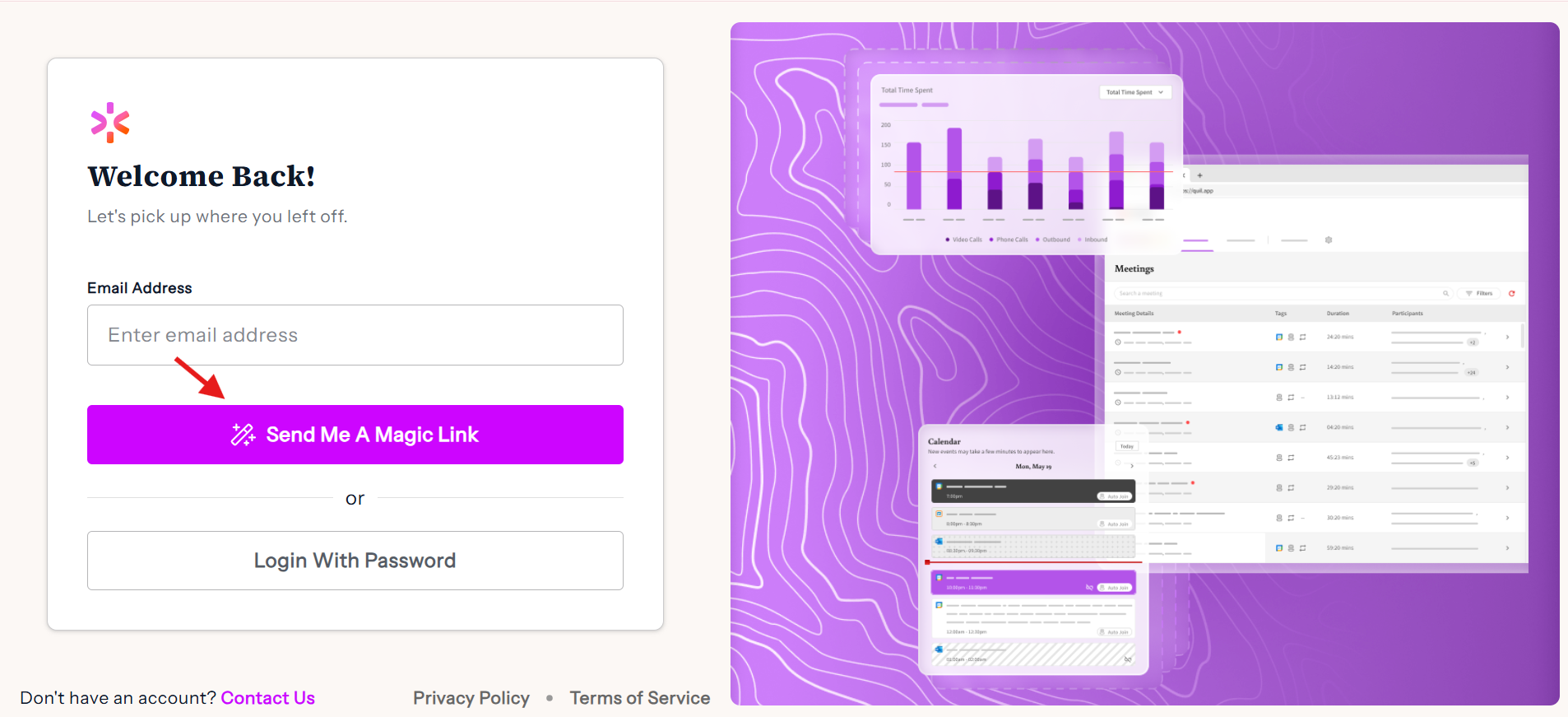
Step 1: Go to the CoRecruit Login Page
- Open the CoRecruit login page in your browser.
- You’ll see two options:
- Enter a temporary password, or
- Request a magic link to your email.
Step 2: Request a Magic Link
- Enter your email address in the login field.
- Select “Send me a magic link.”
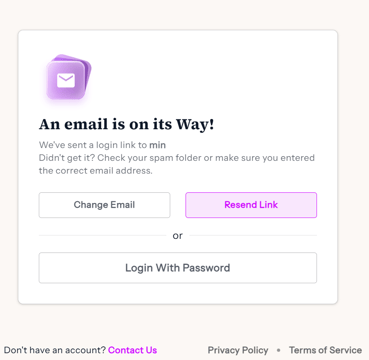
- CoRecruit will send you an email within a few seconds.
Step 3: Open Your Email
- Check your inbox for an email from CoRecruit.
- If you don’t see it, check your spam or junk folder.
- Open the email and click the magic link inside.
Step 4: Log Into CoRecruit
- Clicking the magic link will take you directly into your CoRecruit account.
- No password required.
- From here, you can start using CoRecruit immediately.
Need Help?
If the link has expired, you can request a new one from the login page.
Still having trouble? Contact us at support@corecruit.com or reach out to your main point of contact at CoRecruit.