.png?width=300&height=76&name=Logo_Chromatic(Formerly%20Quil%20LG).png)
When you look at your Meetings dashboard, you’ll notice status chips next to your ongoing and completed calls. These indicators tell you exactly where our system, and your meeting bot is in the recording and processing lifecycle.
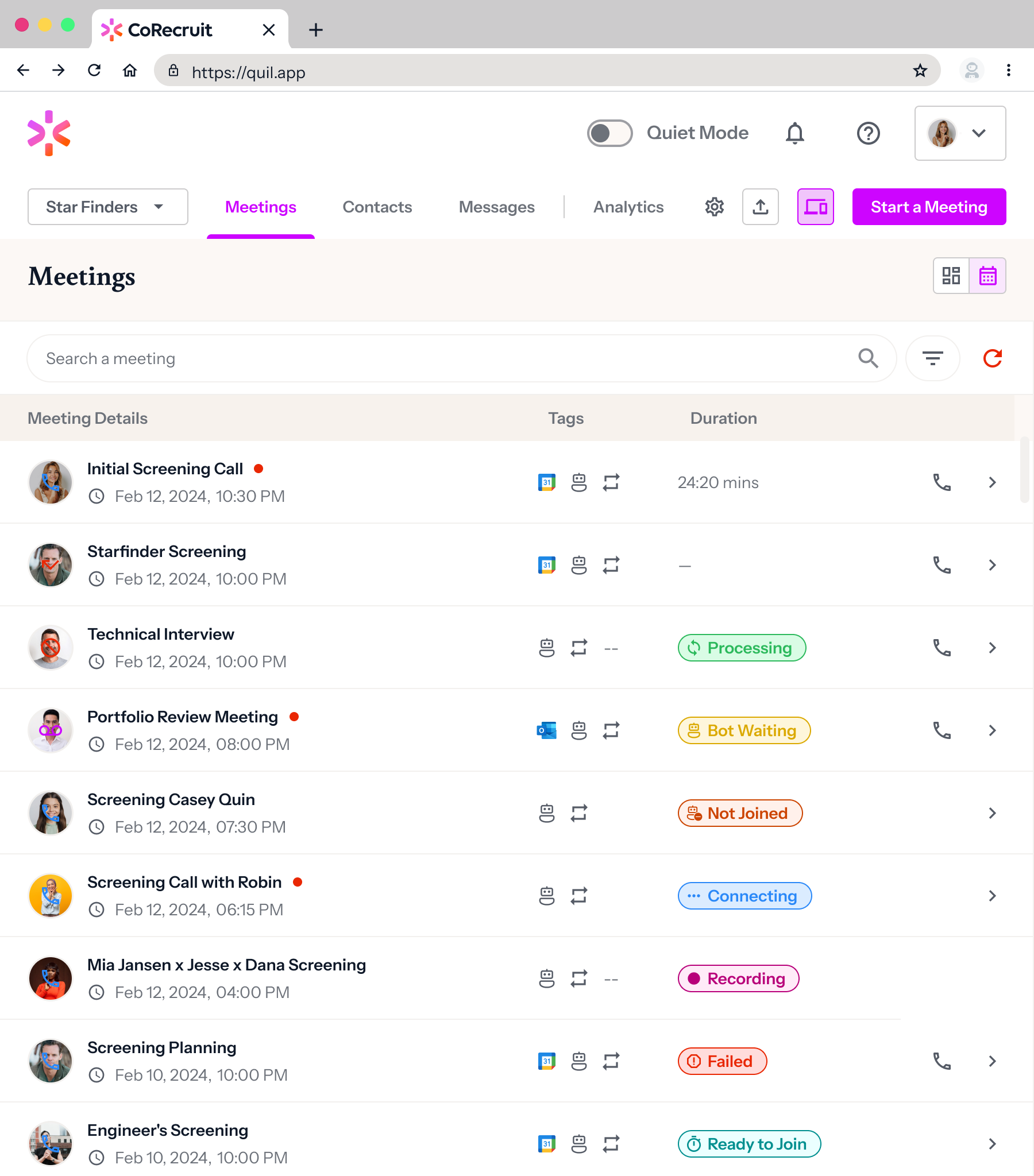
Active Meeting States
These statuses appear while your meeting is currently scheduled or in progress.
| Status | What it means |
| Ready to Join | The meeting is on your calendar but hasn't started yet. No bot or recording source has connected to the call. |
| Connecting | Our bot is currently attempting to enter the meeting. Recording will begin as soon as the connection is established. |
| Bot Waiting | The bot has successfully reached the meeting but is currently in the Waiting Room. It will begin recording once the host admits it into the call. |
| Recording | Everything is running smoothly! The bot (or conference line) is actively in the meeting and capturing the audio. |
| Paused | The bot is present in the meeting, but the recording has been manually or automatically paused. |
Post-Meeting States
These statuses appear once your meeting has concluded and we begin working on your insights.
| Status | What it means |
| Processing | The meeting has ended! We are currently analyzing the audio to generate your transcript, summary, and action items. |
| Failed | Something went wrong during the processing phase, and meeting data could not be generated. If you see this frequently, please contact support. |
Note: Once a meeting is fully processed, the status chip will disappear, and you will be able to see the final Duration and access the full meeting notes by clicking on the meeting row.