.png?width=300&height=76&name=Logo_Chromatic(Formerly%20Quil%20LG).png)
Where the notes go
After notes are submitted they will appear in the “Notes" or "history” section on the candidate or contact you selected.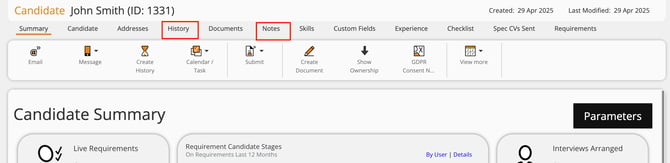
CoRecruit's Colleague integration only allows linking records with Contacts and Candidates
How to Setup
Setup for the integration with Colleague requires an API subscription Key, and User ID.
For more details on where to set up your integration, please read this article on managing you integrations
Activity types supported
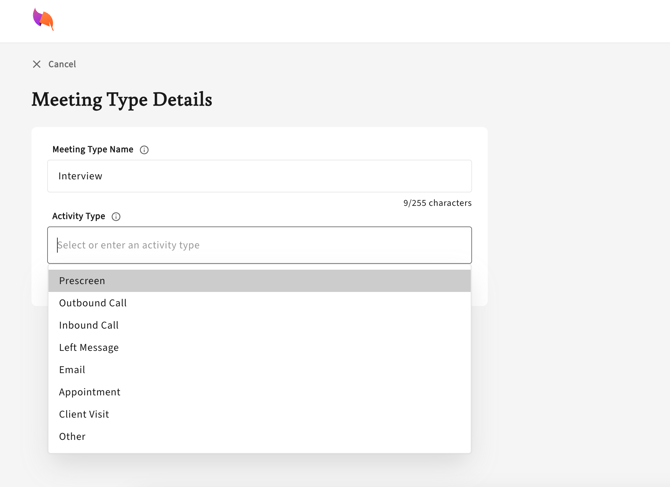
Tags associated with History records in Colleague are supported by CoRecruit's activity types.
-
You can assign activity types inside of each meeting type in CoRecruit.
-
Colleague’s available tags will appear in a dropdown menu.
-
Activity types are only supported for History records.
Database Fields
CoRecruit supports a limited set of database fields in Colleague. The following fields can be automatically or manually updated:
Candidate:
-
Current Annual Salary,
-
Expected Annual Salary,
-
Current Hourly Pay,
-
Expected Hourly Pay,
-
Currency,
-
Salary Breakdown,
-
Preferred Job Title,
-
Previous Job Titles
Contact:
-
Job Title,
-
Department Name
Custom fields are not supported.
Database Documents
Follow-up material generated by CoRecruit (such as summaries or attachments) can be uploaded to Candidate records in Colleague, automatically or manually. Uploads to Contact records are not supported.
Supported Features
| Feature | Supported |
|---|---|
| Create notes | ✅ Yes |
| Update notes | ✅ Yes |
| Activity types | ✅ Yes |
| Standard field updates | ✅ Yes |
| Custom field updates | ❌ No |
| Document uploads | ⚠️ Partial — Candidates only |
| Chrome extension | ✅ Yes |