.png?width=300&height=76&name=Logo_Chromatic(Formerly%20Quil%20LG).png)
Not sure how to link records via CoRecruit? Please read this article on how to manually link records
Where The Notes Go
When submitted, notes will appear in the “Activity” or "Intake" section on the Person record
This can be configured from the integration page under the Loxo integration.
CoRecruit's Loxo integration allows linking records with People.
How to Setup
Setup for the integration with Loxo requires an API Key.
To create an API key in Loxo. Please navigate to Settings > API Key and create a new API key. 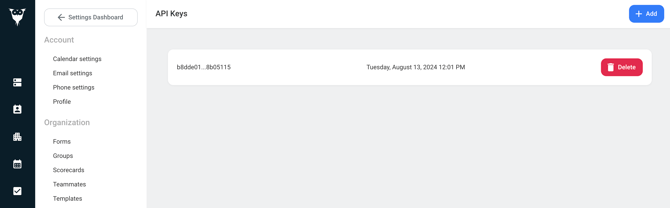
For more details on where to set up your integration, please read this article on managing your integrations
Activity Types Supported
Loxo activity types are supported through CoRecruit. For each meeting type you are able to specify the activity type you would like CoRecruit to send your notes to.
When integrated with Loxo, you can select from a dropdown menu the activity type you wish to be applied to your database notes.
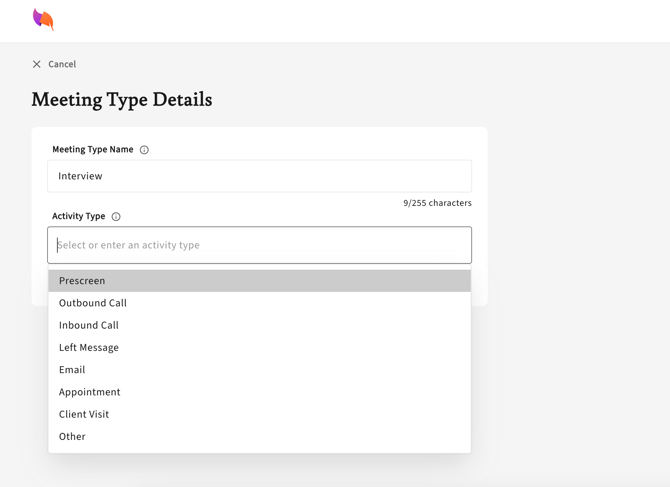
Activity types apply when notes are sent to Activity. They are not used when notes are sent to Intake.
Database Fields
Loxo Person fields can be updated automatically or manually via CoRecruit. CoRecruit will take the information from your meeting and fill in the blanks on your records. Fields are pulled directly from your Loxo instance so any supported custom fields will be available in CoRecruit.
Standard fields CoRecruit can update: Compensation (salary, currency and salary type) and Additional Compensation Details.
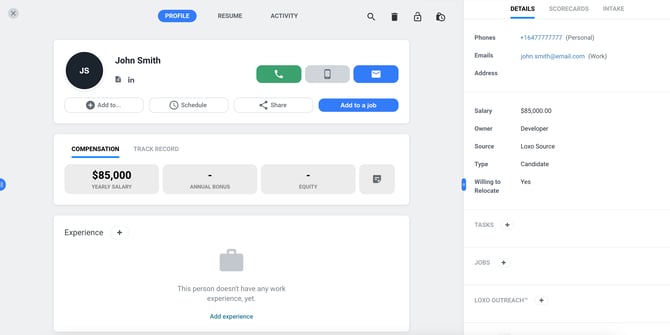
Custom fields must be one of the following types for CoRecruit to fill out:
- Number
- Text
Database Documents
Follow-up material generated by CoRecruit can be automatically or manually uploaded to Loxo if a record is linked. Documents are uploaded to Loxo as Attachments.

Supported Features
| Feature | Supported |
|---|---|
| Create notes | ✅ Yes |
| Update notes | ✅ Yes |
| Activity types | ✅ Yes |
| Standard field updates | ✅ Yes |
| Custom field updates | ✅ Yes |
| Document uploads | ✅ Yes |
| Chrome extension | ✅ Yes |