.png?width=300&height=76&name=Logo_Chromatic(Formerly%20Quil%20LG).png)
Where the notes go
After notes are submitted they will appear in the “Summary” section on the candidate or contact you selected.
CoRecruit's Bullhorn integration only allows linking records with Contacts and Candidates
How to Setup
Setup for the integration with Bullhorn requires just a login.
For more details on where to set up your integration, please read this article on managing your integrations
Activity types supported
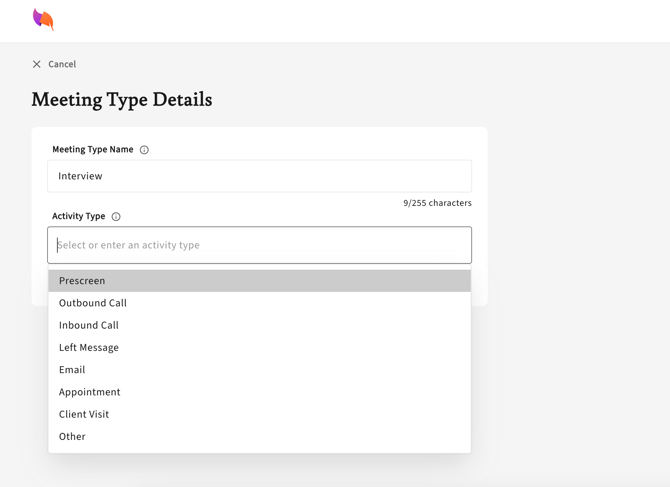
Bullhorn custom "note actions" are supported through "activity types" inside of CoRecruit. For each meeting type you are able to specify the action you would like CoRecruit to send your notes to.
When integrated with Bullhorn, you can select from a dropdown menu the "note action" you wish to be applied to your database notes.
Database Fields
Bullhorn candidate or contact fields can be updated automatically or manually via CoRecruit. CoRecruit will take the information from your meeting and fill in the blanks on your records. Fields are pulled directly from your Bullhorn instance so any supported custom fields will be applied in CoRecruit.
CoRecruit can't update name, phone or email fields (first, middle and last name, nickname, mobile and other phone numbers, fax, email addresses, description). All other supported fields for your Bullhorn setup are available.
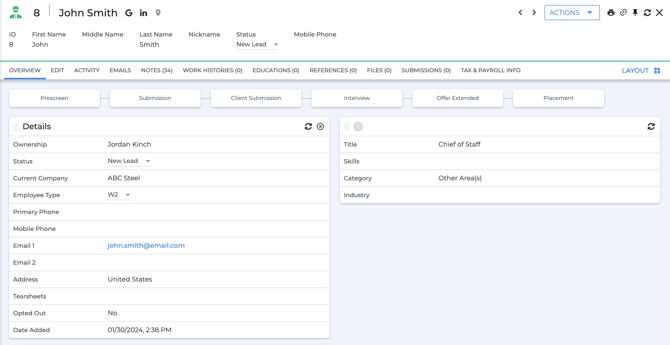
Bullhorn custom fields must be one of the following types for CoRecruit to fill out:
- String
- TextArea
- Double
- Integer
- BigDecimal
- Boolean
- Radio
Database Documents
CoRecruit's Follow-up material can automatically or manually be uploaded to Bullhorn if a record is linked. Documents are uploaded to Bullhorn as Attachments.
Supported Features
| Feature | Supported |
|---|---|
| Create notes | ✅ Yes |
| Update notes | ✅ Yes |
| Activity types | ✅ Yes |
| Standard field updates | ✅ Yes |
| Custom field updates | ✅ Yes |
| Document uploads | ✅ Yes |
| Chrome extension | ✅ Yes |