.png?width=300&height=76&name=Logo_Chromatic(Formerly%20Quil%20LG).png)
Where the notes go
After you submit notes, they appear in the Summary section of the candidate or contact you selected on the meeting.
CoRecruit’s JobAdder integration links meetings to Candidates and Contacts. You can also link a note to more than one job application, so a single conversation can be recorded against every role it covered.
CoRecruit's JobAdder integration only allows linking records with Candidates and Contacts.
How to Setup
Setting up the integration requires a JobAdder login. JobAdder also requires an admin to allow members API access before the integration is complete.
For more details on where to set up your integration, please read this article on managing your integrations
Activity Types Supported
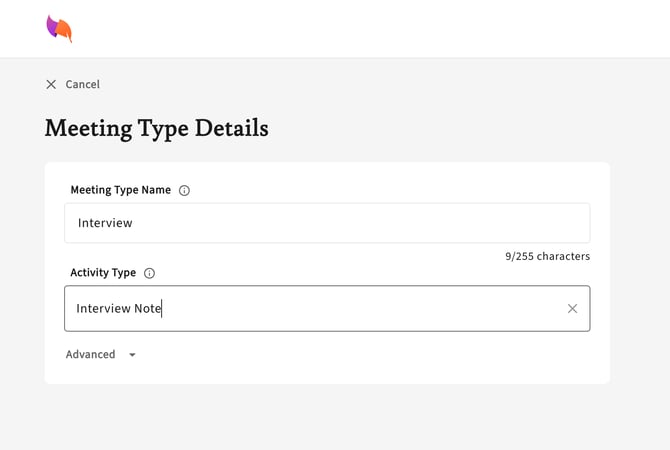
JobAdder activity types are supported in CoRecruit. For each meeting type, you can choose the activity type you want your CoRecruit notes labeled with in JobAdder.
Database Fields
CoRecruit can update JobAdder Candidate and Contact fields automatically or manually. CoRecruit currently supports:
Candidate:
- Current Position
- Current Company
- Current Annual Salary
- Desired Position
- Desired Annual Salary
- Work Type
- Skill Library
- Availability
- Custom fields
Contact:
-
Position
-
Custom fields
Custom fields
You can view and update your JobAdder custom fields on candidates and contacts directly from CoRecruit.
AI suggestions
In the Database Fields tab on a meeting, AI can suggest values for custom fields, Available From (including dates) and Skill Library.
We recommend that you review each suggestion before you send it to JobAdder, atleast until you are comfortable with the values we are filling in to each field.
Note: AI suggestions are generated by CoRecruit. You can’t set your own prompt for them.
Database Documents
Document uploads are not supported in CoRecruit's integration with JobAdder.
Supported Features
| Feature | Supported |
|---|---|
| Create notes | ✅ Yes |
| Update notes | ✅ Yes |
| Activity types | ✅ Yes |
| Standard field updates | ✅ Yes |
| Custom field updates | ✅ Yes |
| Document uploads | ❌ No |
| Chrome extension | ✅ Yes |